 Pink Post
Daily and hourly limits with random delays
Sending limits that look human
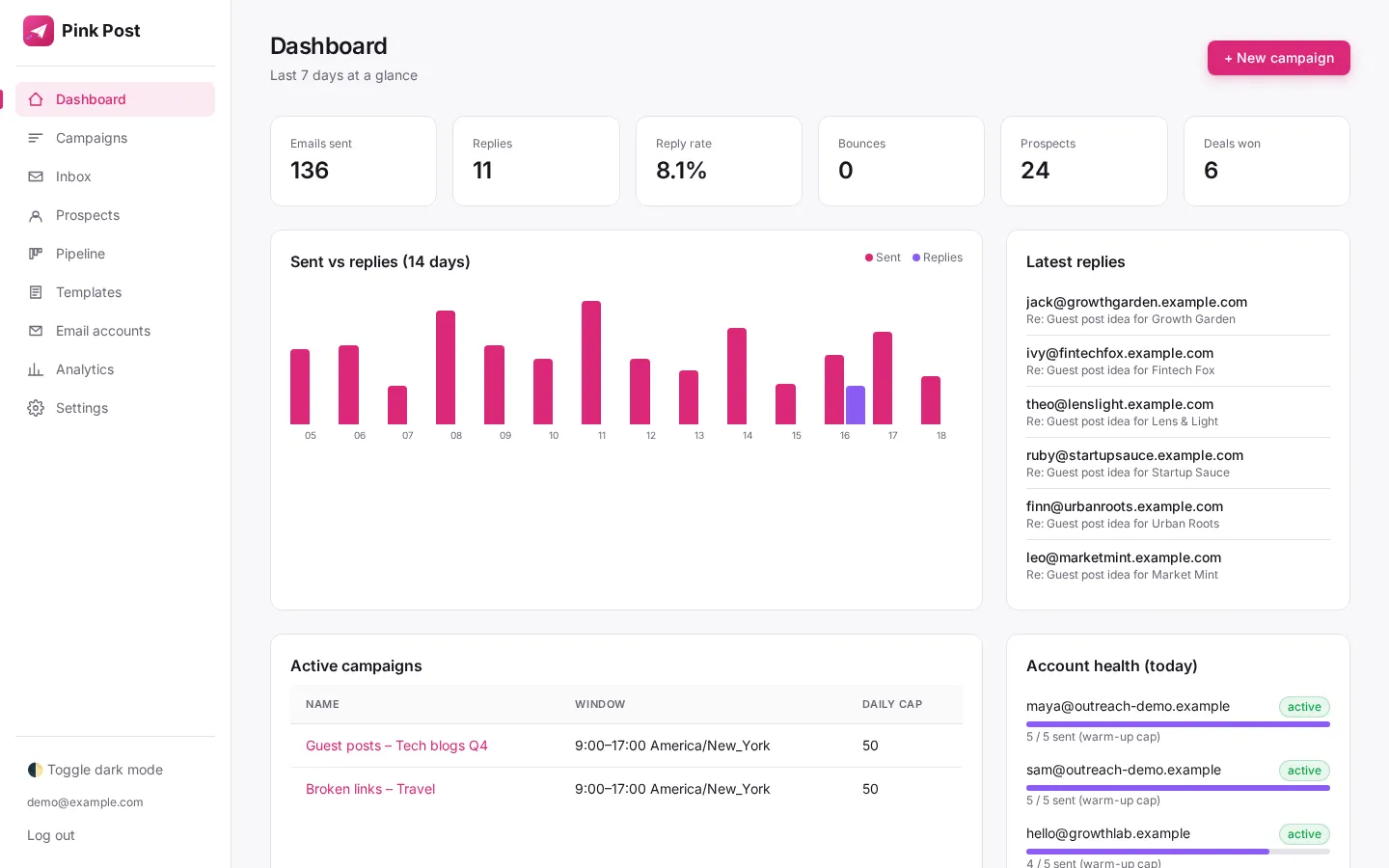
Pink Post gives every mailbox per-minute, hourly and daily limits that match its provider, waits a random 90 to 300 seconds between emails, and only sends inside your send window (9:00–17:00 by default). A campaign pauses automatically if its bounce rate passes 5% over 30 days with at least 20 sends.
Why it matters
Send like a person, not a script, and keep each mailbox well under provider limits.
Every account has a daily limit, an hourly limit, and a random delay window between emails (default 90 to 300 seconds). Each campaign also has its own daily cap.
How to use it
Set it up in a few steps
- 01
Set daily and hourly limits per account
Set daily and hourly limits per account.
- 02
Set minimum and maximum delay in seconds
Set minimum and maximum delay in seconds.
- 03
Set a campaign daily cap; the lowest limit always wins
Set a campaign daily cap; the lowest limit always wins.
Under the hood
How it works
Random gaps
A random delay between 90 and 300 seconds avoids evenly spaced bursts.
Send window
Emails go out in working hours only.
Bounce auto-pause
5% bounces over 30 days (20+ sends) pauses the campaign so a bad list doesn't damage your domain.
| Setting | Value |
|---|---|
| Daily per mailbox | Provider default (e.g. 25 personal Gmail, 30 other SMTP); lower any time, raise up to a safe max |
| Hourly per mailbox | Provider default (e.g. 10 Gmail, 60 Hostinger) |
| Per minute per mailbox | Provider default (2 to 5) |
| Provider rate-limit reply | That mailbox pauses 5 min, doubling up to 6 h (details) |
| Delay | Random 90–300 s |
| Send window | 09:00–17:00 |
| Bounce pause | 5% / 30 days / 20+ sends |
Tips
Get more from it
Tip 1
Spread volume across several accounts rather than pushing one mailbox hard.
In a campaign
Where daily and hourly limits with random delays fits in link building outreach
Pink Post runs a link building campaign in seven steps, from prospect list to a live link that keeps being checked. Here is where this feature does its work.
- Step 1
Import prospects
Upload a CSV, Excel file or Google Sheet of sites and contacts; Pink Post dedupes, blocklists and verifies them.
- Step 2
Pick a playbook
Start from a guest post, link insertion, broken link, resource page, skyscraper or partnership template.
- Step 3
Write the sequence
Edit the pitch and one or two follow-ups with conditions, placeholders and spintax; test subjects with A/B variants.
- Step 4 · this feature
Send safely
Emails go out at a safe pace with rotation, warm-up, limits and DNS checks.
- Step 5
Handle replies
Replies land in one inbox with labels; follow-ups stop on reply.
- Step 6
Close the deal
Move the deal to Negotiating and Deal done with the agreed price.
- Step 7
Keep the link
Mark it Link live and let Pink Post re-check the page.
Compared
Pink Post vs the usual setup
| Daily and hourly limits with random delays in Pink Post | Typical cold email tool | Spreadsheet + Gmail | |
|---|---|---|---|
| Daily and hourly caps | |||
| Random delays | Y (90–300 s) | ||
| Send window | |||
| Bounce auto-pause | Y (5%) | Some |
Plans
Daily and hourly limits with random delays on every plan
| Free | Solo | Pro | Agency | |
|---|---|---|---|---|
| Price per month | $0 | $19 | $39 | $129 |
| Mailboxes | 1 | 3 | 10 | 30 |
| Prospects | 500 | 5,000 | 25,000 | 100,000 |
| Emails per month | 300 | 3,000 | 15,000 | 50,000 |
| Users | 1 | 1 | 3 | 10 |
| Live link checks per month | 25 | 250 | 2,500 | 10,000 |
Daily and hourly limits with random delays works the same way on every plan; plans only change the limits above. Yearly billing costs $16, $32 and $108 a month. Compare plans in full.
FAQ
Questions, answered
Can I raise the limits?
Yes, but for cold outreach stay close to the defaults.
Why is tracking off by default?
Tracking pixels and rewritten links can hurt inbox placement.
What does Google allow?
Google Workspace has its own daily sending caps; Pink Post's defaults stay far below them.
Does it work with Gmail and Outlook mailboxes?
Yes. Pink Post works the same with Gmail, Google Workspace, Outlook, Zoho, Hostinger and any SMTP/IMAP mailbox you connect.
Is daily and hourly limits with random delays on the free plan?
Yes. Every plan includes it; plans differ by mailboxes, prospects, emails per month, users and live link checks. Free has 1 mailbox and 300 emails a month, Solo $19 has 3 mailboxes, Pro $39 has 10 and Agency $129 has 30.
How is daily and hourly limits with random delays different from a cold email tool?
Cold email tools are designed for sales pipelines. In Pink Post every feature feeds a link deal: replies move deals, deals hold prices, and live links keep being checked, so the result of the campaign is a list of live links with their cost.
Run your next outreach campaign in Pink Post.
Free plan, no card. Import your contacts, write a personal sequence and launch your first outreach campaign.